

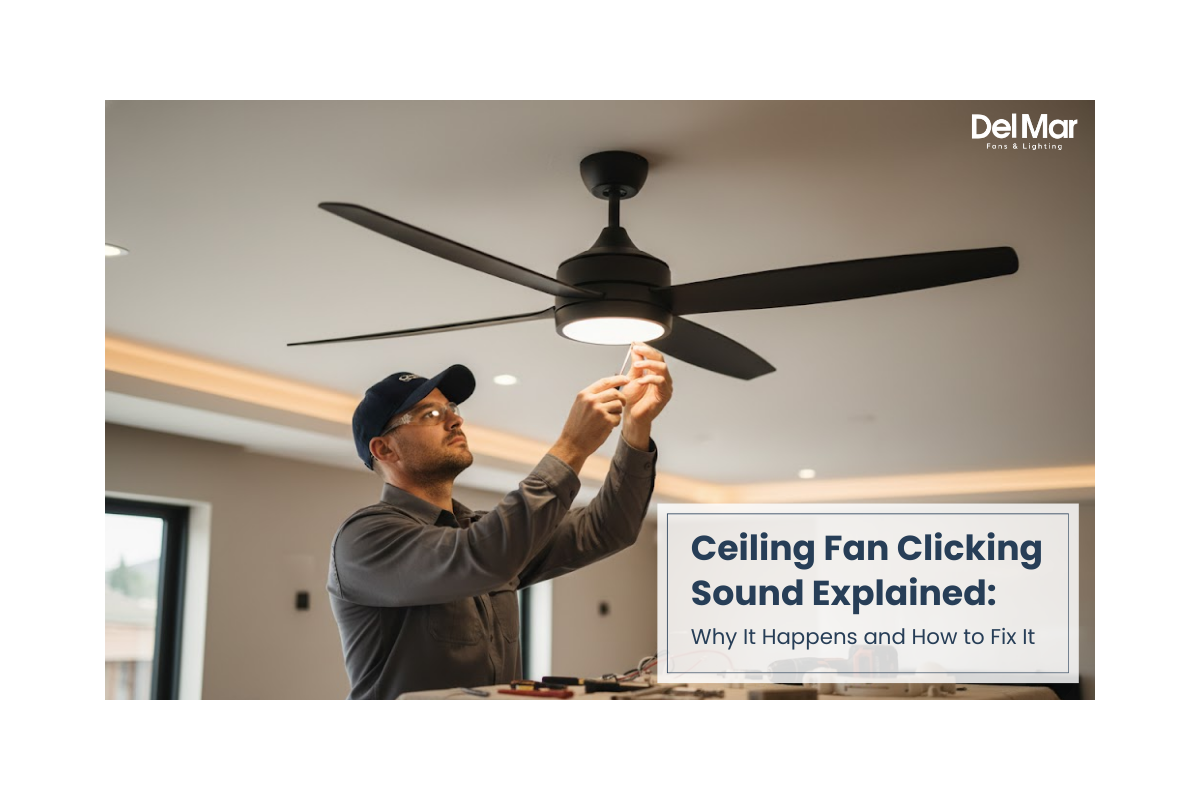
You're lying in bed, trying to fall asleep, when you hear it—a soft but persistent clicking noise from your ceiling fan. Or maybe you've just installed a new fan, only to discover it makes an annoying clicking sound every few rotations. You're not alone. Nearly 40% of ceiling fan owners report experiencing unusual noises within the first two years of operation, with clicking being one of the most common complaints.
A ceiling fan clicking sound can range from a minor annoyance to a sign of a more serious mechanical issue. The good news? Most clicking noises are easy to diagnose and fix yourself without calling an electrician or replacing the entire unit.
In this guide, you'll learn exactly why your ceiling fan is clicking, how to identify the source of the noise, and step-by-step solutions to eliminate it for good. Whether your fan clicks when it's running, when it's off, or only at certain speeds, we'll cover everything you need to restore peaceful silence to your home.
What Is a Ceiling Fan Clicking Sound
A ceiling fan clicking sound is a repetitive, rhythmic noise that occurs during fan operation or sometimes even when the fan is turned off. Unlike humming or grinding noises, clicking typically indicates a loose component, misalignment, or obstruction making intermittent contact with another part.
The sound often follows the rotation pattern of the blades—clicking once per revolution or at regular intervals. Some homeowners describe it as a "tick-tock" sound, while others compare it to a playing card in bicycle spokes.
Who Experiences This Problem
This issue affects:
- Homeowners with newly installed ceiling fans experiencing manufacturing or installation defects
- Owners of aging fans where components have loosened over time
- People living in homes with temperature and humidity fluctuations that cause material expansion
- Anyone who has recently cleaned or maintained their ceiling fan and may have inadvertently loosened parts
Why Addressing Ceiling Fan Clicking Matters for Home Comfort
Ignoring a clicking ceiling fan isn't just about tolerating an annoying noise. Addressing this issue matters for several important reasons.
Safety Considerations
A clicking sound can indicate loose hardware that may eventually fail. Loose blade brackets or mounting screws could potentially cause blades to detach during operation, creating a safety hazard. While rare, addressing clicking sounds early prevents these risks.
Energy Efficiency
When components are misaligned or loose, your ceiling fan works harder to maintain its speed. This increased resistance can reduce motor efficiency by 10-15%, leading to higher energy consumption and shorter motor lifespan.
Sleep Quality and Comfort
Repetitive clicking noises disrupt sleep patterns and create stress in living spaces. Studies show that intermittent noises are more disruptive to sleep than constant background sounds, making that clicking fan particularly problematic in bedrooms.
Property Value
For homeowners planning to sell, malfunctioning ceiling fans signal neglected maintenance to potential buyers. Fixing simple issues like clicking sounds demonstrates proper home care and prevents negotiation points during inspections.
How Ceiling Fan Clicking Sounds Occur
Understanding the mechanics behind clicking sounds helps you diagnose and fix the problem more effectively.
Step 1: Normal Fan Operation
During standard operation, ceiling fan blades rotate smoothly on their brackets. The motor shaft turns ball bearings, which transfer rotation to the blade assembly. All components should maintain secure, stable positioning.
Step 2: Component Loosening or Misalignment
Over time, several factors cause components to loosen:
- Vibration: Natural operation creates micro-movements that gradually loosen screws
- Temperature changes: Metal and plastic expand and contract, affecting connection tightness
- Manufacturing tolerances: Small variations in parts create gaps where movement occurs
- Improper installation: Insufficiently tightened hardware from the start
Step 3: Intermittent Contact
As the blades rotate, the loose component makes contact with another surface at a specific point in each revolution. This contact creates the clicking sound you hear.
Step 4: Pattern Development
The clicking typically follows a predictable pattern:
- One click per blade rotation indicates an issue with the center mounting or motor housing
- Multiple clicks per rotation suggest blade-related problems
- Random clicking points to loose light fixtures or pull chains
- Clicking only at certain speeds relates to resonance frequencies
Types of Ceiling Fan Clicking Noises
Not all clicking sounds are created equal. Identifying the type helps pinpoint the cause.
Clicking When Fan Is Running
High-Speed Clicking: Occurs only when the fan runs at maximum speed, usually caused by blade imbalance or loose blade brackets vibrating at high RPMs.
Low-Speed Clicking: Most noticeable at lower speeds, often related to motor issues or pull chain hardware tapping against the housing.
All-Speed Clicking: Consistent clicking at any speed typically indicates loose mounting hardware, blade screws, or light fixture components.
Clicking When Fan Is Off
Electrical Clicking: Random clicks when the fan is off usually stem from capacitor discharge, wall switch issues, or remote receiver interference.
Thermal Clicking: Caused by metal components expanding or contracting as they cool down after use or heat up from ambient temperature changes.
Clicking Combined with Wobbling
When clicking accompanies visible wobbling, the issue usually involves:
- Unbalanced blades creating uneven weight distribution
- Loose mounting brackets allowing lateral movement
- Bent blade irons causing irregular rotation patterns
New Ceiling Fan Clicking
Brand new fans that click immediately after installation typically suffer from:
- Shipping damage during transport
- Manufacturing defects in blade brackets or motor housing
- Installation errors such as improperly tightened screws
- Packaging materials left inside the housing
Key Sources to Identify and Check
Knowing where to look saves time during diagnosis. Here are the most common clicking sources.
Blade-Mounting Screws
The screws connecting each blade to its bracket (blade iron) are frequent culprits. These screws can loosen from vibration, creating movement and clicking during rotation.
Blade Brackets (Blade Irons)
The metal brackets holding blades to the motor housing can develop loose connections at multiple attachment points. Check where brackets connect to both blades and the motor housing.
Canopy and Mounting Hardware
The decorative cover (canopy) that hides ceiling wiring and mounting hardware may contain loose screws. The entire fan assembly attaches to the ceiling mounting bracket, and any looseness here creates clicking.
Light Kit Components
If your fan includes lights, several light-related parts can click:
- Light fixture not fully seated in its housing
- Loose glass shades or covers
- Bulbs not screwed in completely
- Light kit mounting screws
Pull Chains
Both fan speed and light pull chains have small metal connectors that can tap against the housing or each other during rotation or from air current movement.
Motor Housing Screws
The motor housing itself contains multiple screws holding components together. Internal screws can loosen, though this is less common than external hardware issues.
Downrod and Ball Socket
The downrod connects the fan to the ceiling mounting bracket via a ball-and-socket joint. Loose set screws on the downrod or inadequate seating in the socket creates clicking during rotation.
Capacitor and Electrical Components
Internal electrical components, particularly the capacitor, can make clicking sounds if failing or if mounting hardware has loosened inside the switch housing.

Benefits of Fixing Ceiling Fan Clicking
Addressing clicking sounds provides multiple advantages beyond just noise elimination.
Restored Peace and Quiet
The most immediate benefit is eliminating the annoying distraction. Peaceful environments improve concentration, relaxation, and sleep quality throughout your home.
Extended Fan Lifespan
Fixing loose components reduces unnecessary wear on the motor and bearings. Fans that run smoothly last significantly longer—often 15-20 years instead of 8-10 years.
Maintained Energy Efficiency
Properly aligned, securely mounted fans operate at peak efficiency. You'll maintain optimal air circulation without the 10-15% energy penalty that misaligned components create.
Prevented Future Damage
Small problems become big problems when ignored. Tightening a loose screw now prevents bearing damage, motor failure, or blade detachment later.
Improved Home Safety
Securing all components eliminates the small but real risk of parts becoming dislodged during operation. This is especially important in children's rooms or areas where people spend extended time directly beneath the fan.
Increased Confidence
Successfully diagnosing and fixing the issue yourself builds home maintenance skills and confidence. Most clicking issues require only basic tools and 15-30 minutes.
Common Use Cases and Clicking Scenarios
Different room types and installation scenarios present unique clicking challenges.
Living Room Ceiling Fans
Living rooms often feature large fans with heavy blades and light kits. The added weight increases stress on mounting hardware. High ceilings may require extension downrods, adding connection points where loosening can occur. Remote controls, common in living rooms, introduce receiver units that can rattle inside the canopy.
Bedroom Ceiling Fans
Bedrooms demand absolute quiet, making even minor clicking sounds intolerable. Bedroom fans typically run for extended periods, accelerating component wear. Temperature differences between day and night cause more expansion and contraction, loosening hardware faster than in climate-controlled spaces.
Outdoor and Covered Patio Fans
Outdoor-rated ceiling fans face humidity, temperature extremes, and weather exposure. These conditions accelerate hardware corrosion and loosening. Outdoor fans often feature wet-rated components that may have different expansion rates than indoor models, creating clicking as materials respond to environmental changes.
Large Rooms and Great Rooms
Oversized fans in vaulted or cathedral ceilings require longer downrods and larger, heavier blades. The increased leverage and weight magnify small balance issues or loose connections. Extension downrods introduce additional connection points requiring periodic tightening.
Kitchen Ceiling Fans
Kitchen environments expose fans to grease particles, humidity from cooking, and temperature fluctuations. Grease buildup can cause blades to become unbalanced, while heat cycling from cooking accelerates hardware loosening.
Pros and Cons of Different Clicking Solutions
| Solution | Pros | Cons |
|---|---|---|
| Tightening Screws | Free, takes 10–15 minutes, solves 70% of clicking issues, requires only basic screwdriver | Temporary if underlying cause not addressed, screws may strip if over-tightened |
| Blade Balancing Kit | Inexpensive ($5–10), permanent solution for balance-related clicking, easy DIY process | Takes 30–45 minutes of trial and error, may not solve non-balance clicking |
| Thread-Locking Compound | Prevents screws from loosening again, inexpensive, long-lasting solution | Requires removing screws to apply, makes future maintenance slightly harder |
| Replacing Worn Components | Permanently fixes damaged parts, relatively inexpensive ($10–40 per part), prevents future issues | Requires identifying exact parts needed, takes more time than simple tightening |
| Professional Repair | Expert diagnosis, warranty on work, handles complex electrical issues | Costs $100–300, scheduling required, may be unnecessary for simple fixes |
| Fan Replacement | Solves all issues, opportunity to upgrade, fresh warranty | Most expensive option ($100–500+), time-intensive installation, often unnecessary |
Ceiling Fan Clicking vs Other Fan Noises
Understanding how clicking differs from other ceiling fan sounds helps ensure you're addressing the right issue.
Clicking vs Humming
| Feature | Clicking | Humming |
|---|---|---|
| Sound Type | Intermittent, sharp ticks | Continuous, low-frequency buzz |
| Source | Loose mechanical components, physical contact | Electrical components, motor vibration |
| Pattern | Rhythmic with blade rotation or random | Constant during operation |
| Common Causes | Loose screws, unbalanced blades | Dimmer switches, motor issues, loose light covers |
| Typical Fix | Tighten hardware, balance blades | Replace dimmer switch, secure light covers, check motor mounting |
Clicking vs Grinding
| Feature | Clicking | Grinding |
|---|---|---|
| Sound Type | Light, intermittent tapping | Heavy, continuous scraping |
| Severity | Usually minor issue | Often indicates serious wear |
| Source | Loose parts making contact | Metal-on-metal friction, worn bearings |
| Urgency | Can wait for convenient repair time | Should address immediately |
| DIY Friendly | Yes, most cases | Sometimes, may need replacement |
Clicking vs Rattling
Rattling sounds are typically louder and more chaotic than clicking. Rattling suggests multiple loose components moving simultaneously, while clicking indicates one specific point of contact. Rattling often comes from loose light shades, decorative components, or seriously degraded motor housings.
Step-by-Step Guide to Fix Ceiling Fan Clicking
Follow this systematic approach to identify and eliminate clicking sounds.
Safety First
Before beginning any repair:
- Turn off power at the wall switch
- For electrical work, turn off the circuit breaker
- Use a stable ladder tall enough to work comfortably
- Have someone hold the ladder for added safety
- Wait for blades to stop completely before touching them
Step 1: Tighten Blade Mounting Screws
Start with the most common culprit:
- Locate the screws connecting each blade to its bracket (usually 2-3 screws per blade)
- Use an appropriate screwdriver to firmly tighten each screw
- Work systematically around all blades
- Don't over-tighten—stop when resistance increases significantly
- Spin blades by hand to check for clicking
Step 2: Secure Blade Brackets
Check where blade brackets attach to the motor housing:
- Look for screws on top of the motor housing where brackets connect
- Tighten these screws firmly but gently
- Check that each bracket sits flush against the motor housing
- Ensure no gaps exist between bracket and housing
Step 3: Inspect and Tighten Canopy
The canopy often harbors loose screws:
- Locate the screws holding the canopy to the ceiling mounting bracket (usually 3-5 screws)
- Tighten each one sequentially
- If you can access the mounting bracket above the canopy, check and tighten those screws too
- Ensure the canopy sits flat against the ceiling
Step 4: Check Downrod Connections
For fans with downrods:
- Locate the set screw(s) where the downrod connects to the motor housing
- Tighten firmly with an Allen wrench or screwdriver
- Check the connection at the ceiling mounting bracket
- Verify the ball socket is properly seated with no play
Step 5: Secure Light Fixture Components
If your fan has lights:
- Ensure the light kit is fully seated and screwed into the motor housing
- Tighten the small screws holding the light kit in place
- Check that glass shades are secure
- Verify bulbs are screwed in completely
- Ensure decorative finials are tight
Step 6: Address Pull Chains
Pull chains often click against the housing:
- Locate where chains attach inside the housing
- Gently bend the chain connector away from surfaces it might contact
- Consider installing small rubber or felt bumpers where chain contacts housing
- For persistent issues, replace with silent pull chains that have plastic connectors
Step 7: Balance the Blades
If clicking persists after tightening everything:
- Use a blade balancing kit (available at hardware stores)
- Place the clip on the center of one blade's leading edge
- Run the fan and observe wobble and noise
- Move the clip to each blade sequentially to find which blade causes the most wobble
- Once identified, move the clip along that blade to find the optimal position
- Attach the adhesive weight at that position on top of the blade
- Remove the clip and test again
Step 8: Check for Obstructions
Sometimes clicking comes from unexpected sources:
- Ensure no packaging materials remain in the housing
- Check that light chains aren't tangling with each other
- Verify the canopy or decorative features aren't touching the ceiling texture
- Look for labels or stickers that might be flapping during rotation
Step 9: Test at Multiple Speeds
After completing repairs:
- Restore power and test at low speed first
- Listen carefully for any remaining clicking
- Gradually increase to medium and high speeds
- Run for 5-10 minutes at each speed
- Note if clicking appears at specific speeds only

Common Buying Mistakes That Lead to Clicking
Avoid these errors when purchasing your next ceiling fan to prevent clicking issues.
Choosing the Wrong Size
Fans too small for the room require higher speeds to circulate air adequately, increasing vibration and component stress. Fans too large may experience excessive weight stress on mounting hardware.
Solution: Match fan size to room dimensions—42" for rooms under 144 sq ft, 52" for 144-225 sq ft, 56"+ for larger spaces.
Ignoring Motor Quality
Cheap motors use inferior bearings and components that loosen quickly. Motors without permanently lubricated bearings require maintenance that most homeowners neglect.
Solution: Invest in fans with sealed, permanently lubricated ball bearings and quality motors from reputable manufacturers.
Overlooking Weight Capacity
Ceiling electrical boxes and mounting brackets have weight limits. Exceeding these limits creates stress that loosens hardware and causes clicking.
Solution: Verify your electrical box is fan-rated for the specific fan weight, including light kits and accessories.
Selecting Incompatible Controls
Incompatible dimmer switches or control systems can cause electrical clicking and motor problems.
Solution: Use only fan-rated speed controls, never dimmer switches designed for lights.
Focusing Only on Appearance
Choosing fans based solely on aesthetics often means compromising on build quality, materials, and construction standards.
Solution: Balance design preferences with quality indicators like motor warranties, UL listing, and metal (not plastic) blade brackets.
Skipping Professional Installation
Improper installation is a leading cause of clicking in new fans. DIY installation errors include insufficiently tightened hardware and improper mounting.
Solution: If you're not confident in your electrical and carpentry skills, hire a licensed electrician for installation.
Maintenance and Care Tips to Prevent Clicking
Regular maintenance prevents clicking sounds from developing.
Quarterly Inspections
Every three months:
- Visually inspect for loose screws while fan is off
- Gently test blade firmness by hand
- Listen for new or changing sounds
- Check for increased wobble
Semi-Annual Tightening
Twice per year:
- Systematically tighten all visible screws
- Check and secure blade mounting hardware
- Verify canopy screws remain tight
- Inspect downrod connections
Annual Deep Cleaning
Once per year:
- Clean blades thoroughly to prevent dust-related imbalance
- Wipe down motor housing and canopy
- Remove light fixtures and clean thoroughly
- Inspect internal components if comfortable doing so
Use Thread-Locking Compound
For screws that repeatedly loosen:
- Apply blue (removable) thread-locking compound
- Never use red (permanent) compound on ceiling fan hardware
- Focus on blade mounting screws and bracket connections
- Reapply every 2-3 years
Monitor Environmental Factors
Control conditions that accelerate wear:
- Maintain consistent indoor temperatures to reduce expansion/contraction cycles
- Use appropriate outdoor-rated fans in covered patios
- Clean kitchen fans more frequently to prevent grease buildup
- Consider dehumidifiers in very humid climates
Keep Spare Parts
Maintain a small supply of:
- Replacement screws in common sizes used by your fan
- Blade balancing kit
- Thread-locking compound
- Basic replacement light bulbs
Document Your Fan Model
Keep records including:
- Model and serial numbers
- Installation date
- Warranty information
- Maintenance history
- Parts diagram, if available
This information proves invaluable when ordering replacement parts or troubleshooting specific issues.
Recommended Ceiling Fans for Quiet, Reliable Performance
Persistent clicking can sometimes indicate worn internal components that are not practical to repair. These ceiling fans combine dependable construction, efficient motors, and stable blade systems to provide smooth, quieter operation in everyday living spaces.
- Minka-Aire Xtreme H20 65" Outdoor Ceiling Fan
- Matthews Alessandra Ceiling Fan
- Modern Forms Wynd Ceiling Fan
- WAC Clean 52" Ceiling Fan
Why these fans are recommended:
- Quiet, energy-efficient DC motors
- Precision-balanced blades that reduce vibration
- Whisper-quiet performance for everyday living spaces
- High-quality construction for long-term reliability
- Smooth airflow with minimal operational noise
Conclusion
A ceiling fan clicking sound might seem like a minor nuisance, but it's your fan telling you something needs attention. The good news is that most clicking noises result from simple, easily fixable issues like loose screws or unbalanced blades. Armed with the knowledge in this guide, you can systematically diagnose the source of the clicking and resolve it yourself in less than an hour.
Start with the simplest solutions first—tightening visible screws and securing blade connections. If clicking persists, move through the systematic troubleshooting steps until you identify the culprit. Remember that addressing clicking sounds early prevents more serious problems down the road and extends your fan's lifespan significantly.
Regular maintenance, including quarterly visual inspections and semi-annual tightening of all hardware, keeps your ceiling fan running smoothly and silently for years. When buying a new fan, prioritize quality construction and proper installation to avoid clicking issues from the start.
Your ceiling fan is an essential part of your home's comfort system. It deserves the small amount of attention needed to keep it operating peacefully and efficiently. With the techniques you've learned here, you're now equipped to enjoy the cooling benefits of your ceiling fan without the distraction of unwanted clicking sounds.
Key Takeaways
- Ceiling fan clicking is usually caused by loose screws, unbalanced blades, or light fixture components making intermittent contact during rotation
- Most clicking issues can be diagnosed and fixed in 15-30 minutes using only basic screwdrivers and an Allen wrench
- Start troubleshooting by systematically tightening blade mounting screws, blade brackets, canopy hardware, and light kit components
- Clicking at high speeds typically indicates blade imbalance, while clicking at all speeds suggests loose mounting hardware
- New ceiling fans that click immediately after installation usually have insufficiently tightened hardware or packaging materials left in the housing
- Preventive maintenance every six months—including tightening screws and cleaning blades—prevents most clicking issues from developing
- Thread-locking compound on frequently loosening screws provides a long-term solution
- Ignoring clicking sounds can lead to accelerated wear, reduced energy efficiency, and potential safety issues over time
Frequently Asked Questions
Why does my ceiling fan click only when running at high speed?
High-speed clicking typically results from blade imbalance or resonance. At higher RPMs, even minor weight differences between blades create vibration that causes loose components to click. Small imbalances invisible at low speeds become pronounced at maximum speed. Try balancing your blades using a balancing kit, and tighten all blade mounting screws and brackets.
Is a clicking ceiling fan dangerous to use?
In most cases, clicking poses no immediate danger and indicates minor loose hardware. However, you shouldn't ignore it indefinitely. Loose components can eventually lead to blade detachment or motor damage. Address clicking sounds within a few weeks rather than letting months pass. If clicking accompanies significant wobbling or grinding sounds, stop using the fan immediately until you identify and fix the issue.
Can I fix ceiling fan clicking without taking it down?
Yes, most clicking issues can be resolved without full removal. You can tighten blade screws, balance blades, secure light fixtures, and adjust pull chains while the fan remains mounted. Only internal motor problems or severely damaged mounting brackets require complete removal. Start with accessible fixes before considering removal.
Why does my new ceiling fan make a clicking noise?
New ceiling fans click due to manufacturing defects, shipping damage, or installation errors. Check that all screws were tightened during installation—installers sometimes leave hardware slightly loose assuming it will settle. Remove any packaging materials from inside the housing. If tightening everything doesn't resolve the issue and the fan is under warranty, contact the manufacturer for replacement parts or a new unit.
My ceiling fan clicks when turned off—what causes this?
Clicking when the fan is off usually stems from thermal expansion and contraction of metal components as they cool down or warm up. This is generally harmless. Alternatively, electrical components like capacitors or remote receivers may make occasional clicking sounds. Random clicking from the wall switch suggests electrical contact issues in the switch itself, which may need replacement.
How often should I tighten ceiling fan screws?
Check and tighten screws every six months as preventive maintenance. New fans may need tightening after the first month of use as components settle. Fans in high-use rooms, outdoors, or in homes with significant temperature fluctuations may need quarterly attention. If you notice clicking starting between maintenance intervals, address it immediately rather than waiting for the next scheduled check.
Will balancing my ceiling fan fix clicking sounds?
Balancing fixes clicking only if the clicking is caused by blade imbalance creating vibration that loosens components or causes them to make contact. If clicking persists after tightening all hardware, balancing is worth trying. However, balancing won't help if clicking comes from loose screws, pull chains, light fixtures, or worn components. Start with tightening, then balance if needed.
Can I use regular screws to replace missing ceiling fan screws?
Use only the specific screws designed for ceiling fan applications. Ceiling fan screws are typically machine screws with specific thread patterns, lengths, and head types. Regular wood screws or generic machine screws may not secure properly, can strip threads, or may not fit blade bracket holes correctly. Contact the manufacturer for replacement screws, or take a sample screw to a hardware store to match exactly.
